 Reemap
Importing and Exporting Profiles
Reemap lets you export and import files.
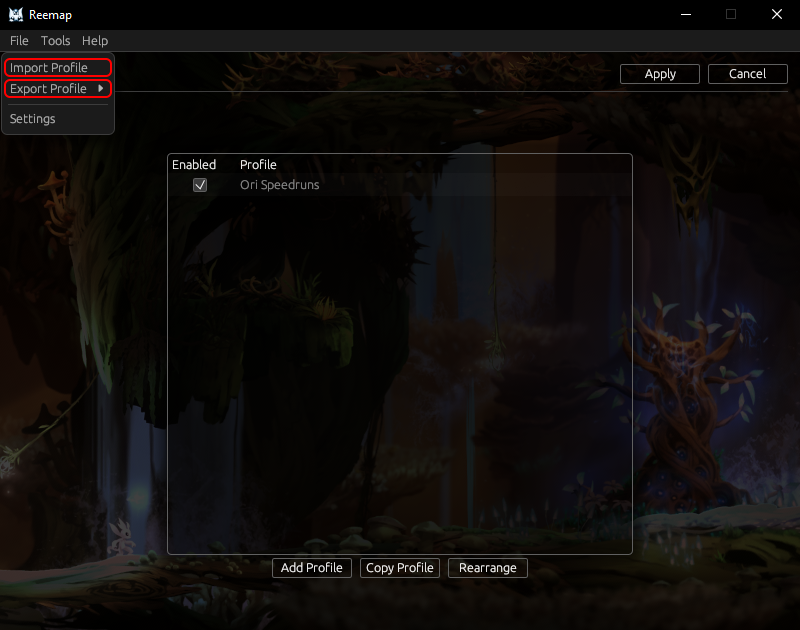
Importing a Profile
Click on File > Import Profile. Then, select a profile. Reemap will add it to the profile list.
Exporting a Profile
Click on File > Export Profile > (your profile). Then, choose a file to save the profile to.
Information Stored in Profile Files
Everything you can configure about a profile is stored in this file, including:
- Profile version
- Profile name
- Profile condition
- All the remaps in this profile
- All the layers in this profile
- Which layers are enabled
- Whether to confine the cursor
- Whether the profile is enabled
Sharing Profiles
When you export a profile, you will get a .ron file. This is the file you can send to other people
for them to import.
Note on Profile Version
The profile version is based on the version of Reemap you are using. Reemap will automatically upgrade profiles to newer versions, but it can't downgrade profiles to older versions.